Create Internet Gateway and Routing Table
To create an internet gateway, follow these steps:
- Open the Amazon VPC console.
- In the navigation pane, click Internet Gateways.
- Click
Create internet gateway - Provide a name to the gateway
my-igw - Once created this needs to be attached to VPC. Click on the
my-igwand it will show you the details. - On right top corner Actions -> Attach to VPC
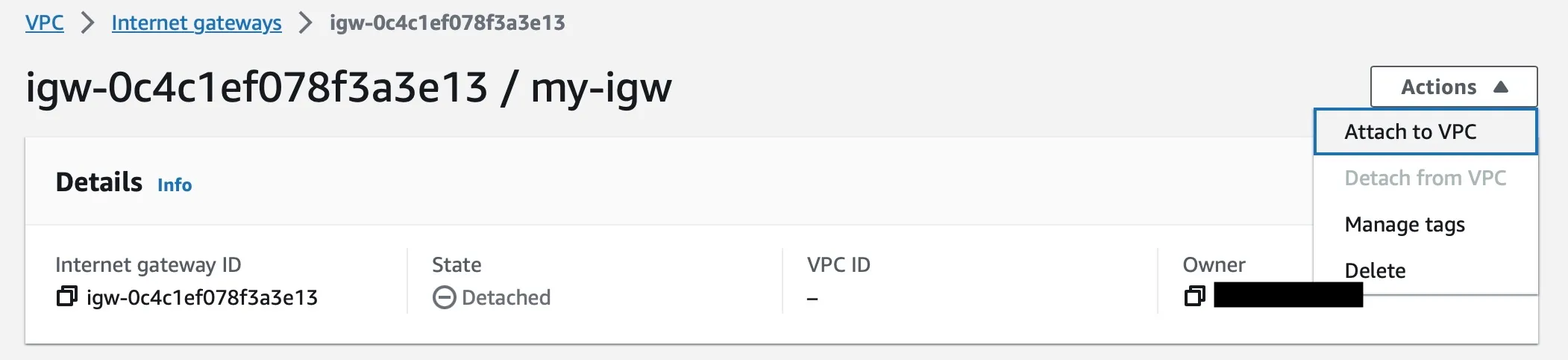
- Select the VPC
myvpcand clickAttach internet gateway
Viewing Routing Tables
Section titled “Viewing Routing Tables”- Open the Amazon VPC console (https://console.aws.amazon.com/vpc/).
- In the navigation pane, choose Route Tables.
- Select the VPC for which you want to view routing tables.
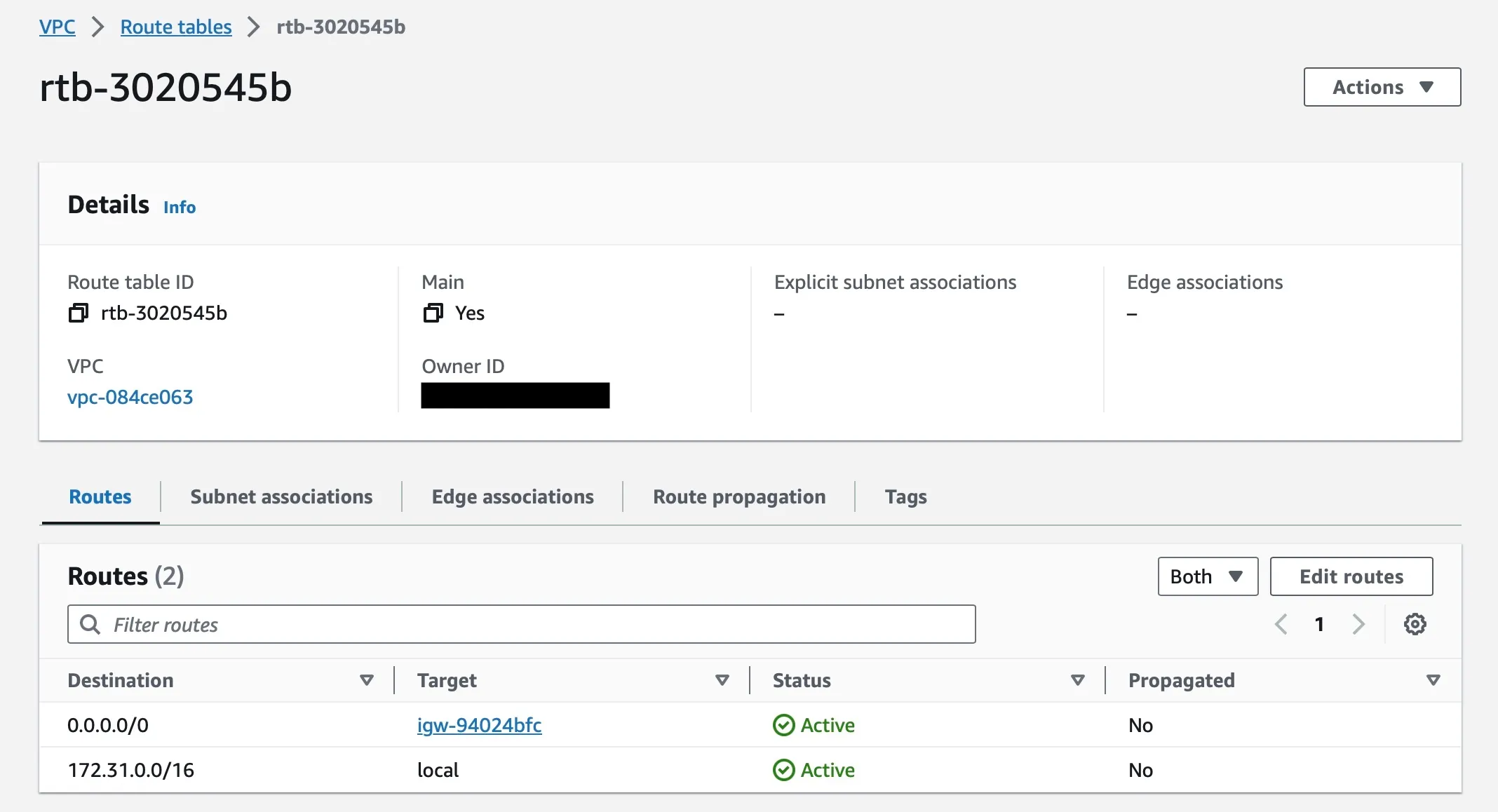
- The routing tables for the selected VPC will be displayed in a list.
- Click on the name of a routing table to view its details.
Editing Routing Table
Section titled “Editing Routing Table”- Open the Amazon VPC console (https://console.aws.amazon.com/vpc/).
- In the navigation pane, choose Route Tables.
- Select the VPC
myvpcfor which you want to view routing tables. - The routing tables for
myvpcwill be displayed in a list. - Click on the name of a routing table to view its details.
- To make the subnet associated with this routing table to access the internet, you need to add a new route as below,
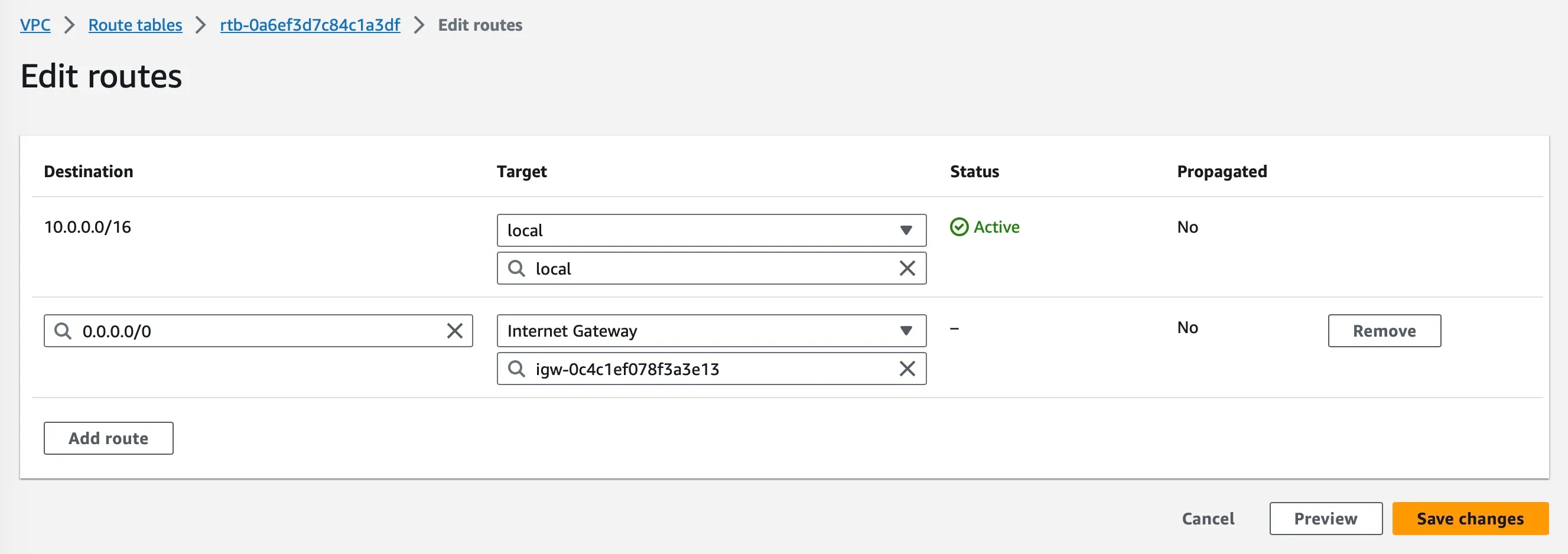
- Click “Save Changes” and now the subnet is public subnet