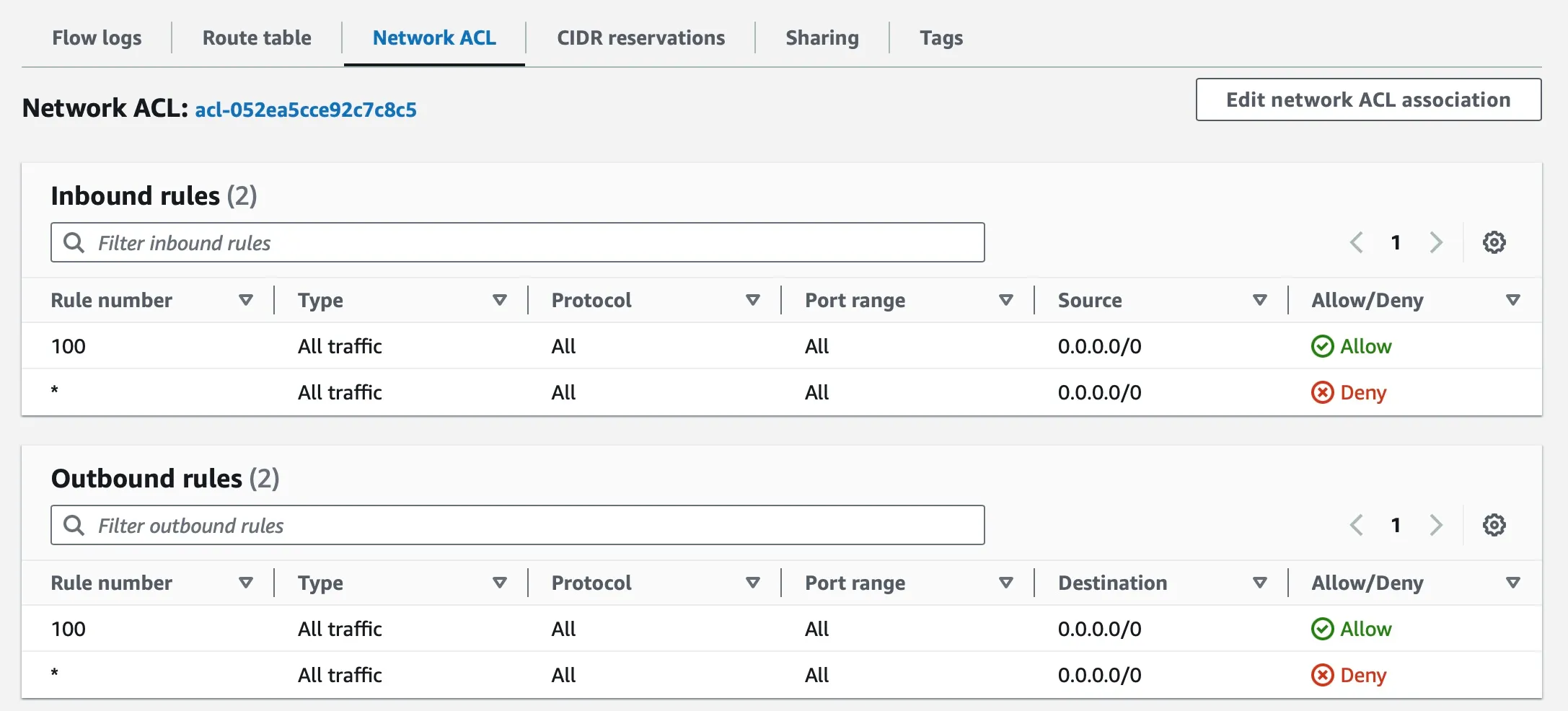
Security Groups and NACLs
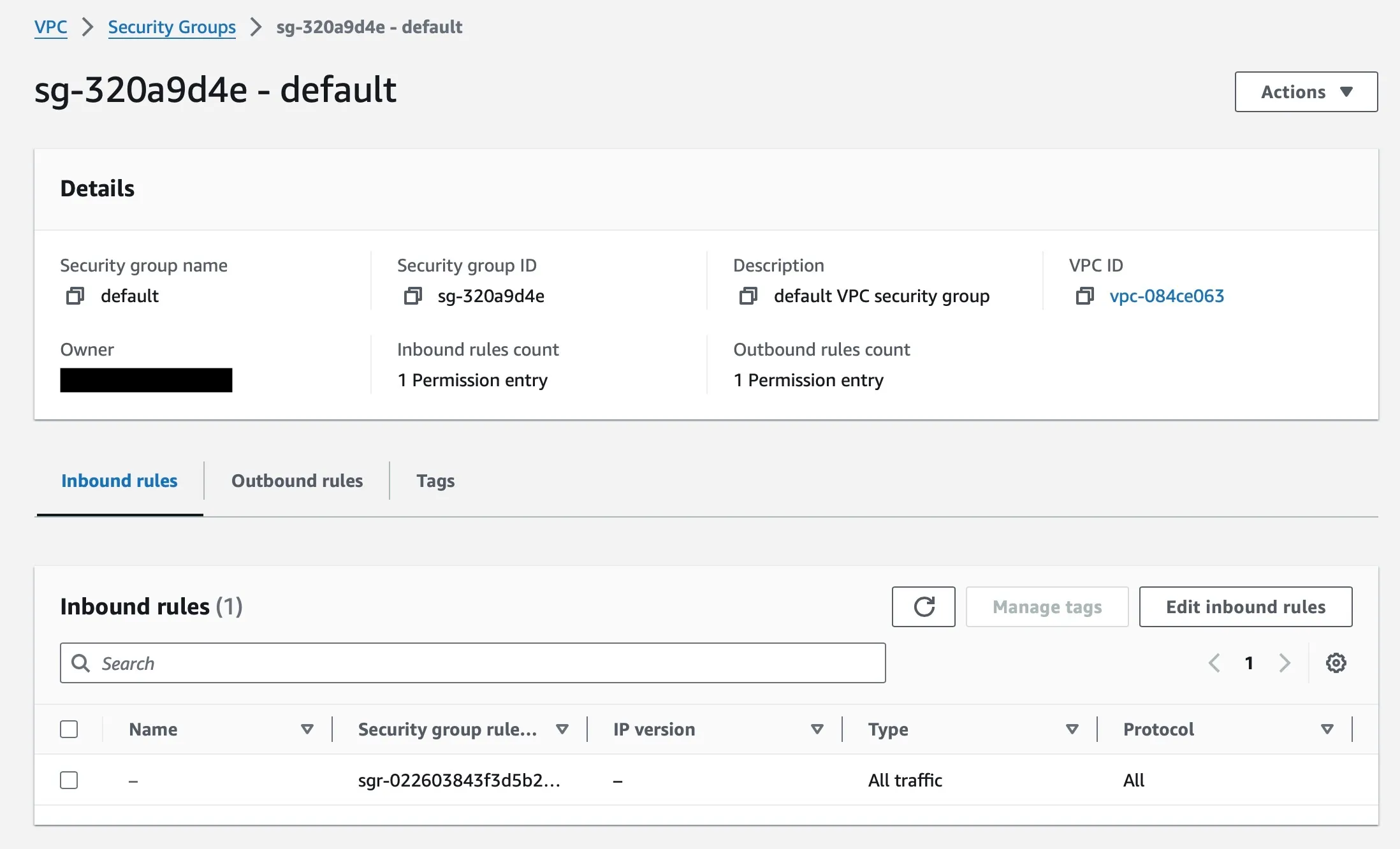
Viewing Security Groups
Section titled “Viewing Security Groups”- Open the Amazon VPC console ([https://console.aws.amazon.com/vpc/]).
- In the navigation pane, choose Security Groups.
- The security groups for your account will be displayed in a list.
- Click on the name of a security group to view its details.
Viewing Network Access Control Lists (NACLs)
Section titled “Viewing Network Access Control Lists (NACLs)”- Open the Amazon VPC console ([https://console.aws.amazon.com/vpc/]).
- In the navigation pane, choose VPCs.
- Select the VPC
myvpcfor which you want to view NACLs. - Choose Subnets.
- Select the subnet
mypublicsubnetfor which you want to view NACLs. - Choose the Network ACLs tab.
- The NACLs that are associated with the selected subnet will be displayed in a list.
- Click on the name of an NACL to view its details.