Deploy a static website to S3
CD Pipeline
Section titled “CD Pipeline”Continuous Deployment is the process of sending the changes you made to your users immediately so that it can bring value to your business. For simplicity of deployment, you are going to build and deploy your website to S3 bucket.
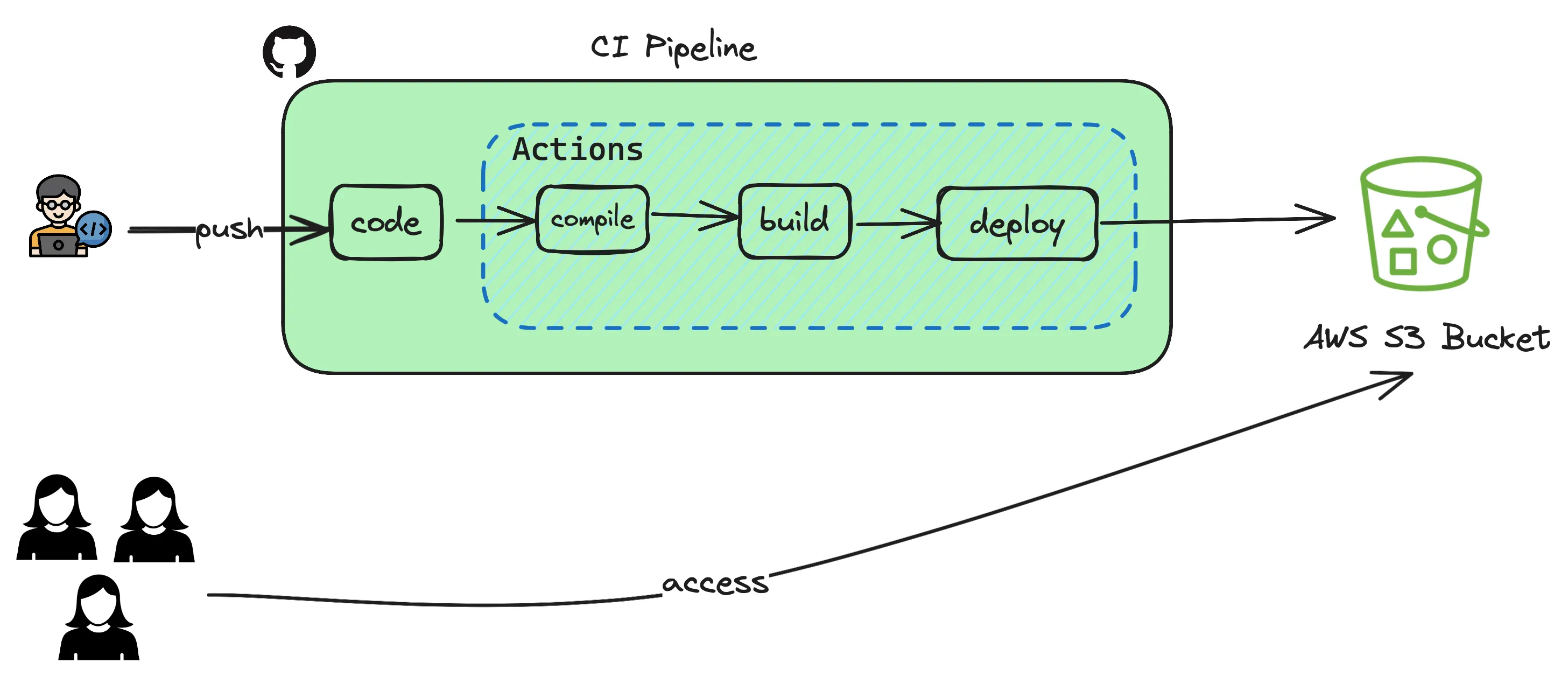
Previously you have uploaded the static website manually using aws cli commands. Let’s see how those steps can be automated so that it all happens when pushing a code to repository.
- Open the GitHub repository and goto your repo which contains the static react website.
- Goto
Settingstab andSecuritysection where you can seeSecrets and Variablesand click on Actions. - Based on the pipeline depicted above, the only integration you have is to use S3 Bucket where you maintain the html/javascript code.
- You create two variables
AWS_ACCESS_KEY_ID,AWS_SECRET_ACCESS_KEYandAWS_S3_BUCKET_NAMEas secrets so that you dont have to hardcode these secrets in your sourcecode. - In order to get the
AWS_ACCESS_KEY_IDandAWS_SECRET_ACCESS_KEYyou login to your AWS Account. GotoIAM->Securityand then createNew Access Tokenwith permissionsRead & Write. This will give programmatic access to read and write to your S3 bucket in AWS. - Copy the token and create the GitHub Secret
AWS_ACCESS_KEY_IDandAWS_SECRET_ACCESS_KEYwith the values you copied from AWS. - For
AWS_S3_BUCKET_NAME, use your fully qualified S3 bucket name. - Once the secrets are created, GitHub Actions now has the permission to write files to your bucket. You will use these values in your workflow.
- Either from your local laptop or any terminal create the following directory structure and files and copy paste the code given below to your
node.js.yml
.github└── workflows └── node.js.yml# This workflow will do a clean installation of node dependencies, cache/restore them, build the source code and run tests across different versions of node# For more information see: https://docs.github.com/en/actions/automating-builds-and-tests/building-and-testing-nodejs
name: Node.js CI
on: push: branches: [ "main" ] pull_request: branches: [ "main" ]
jobs: build:
runs-on: ubuntu-latest
strategy: matrix: node-version: [18.x] # See supported Node.js release schedule at https://nodejs.org/en/about/releases/
steps: - uses: actions/checkout@v3 - name: Use Node.js ${{ matrix.node-version }} uses: actions/setup-node@v3 with: node-version: ${{ matrix.node-version }} cache: 'npm' - run: npm install - run: npm run build - name: Configure AWS Credentials uses: aws-actions/configure-aws-credentials@v1 with: aws-access-key-id: ${{ secrets.AWS_ACCESS_KEY_ID }} aws-secret-access-key: ${{ secrets.AWS_SECRET_ACCESS_KEY }} aws-region: ap-south-1 - name: Deploy static site to S3 bucket run: aws s3 sync ./build/ ${{ secrets.AWS_S3_BUCKET_NAME }} --delete- Now you commit your changes
git add . && git commit -m "added github actions"and pushgit pushthis to your repository. Once the change is pushed goto yourActionstab on the repository and see the magic happening.